To check if a customer's suburb is being serviced, please follow the steps outlined below:
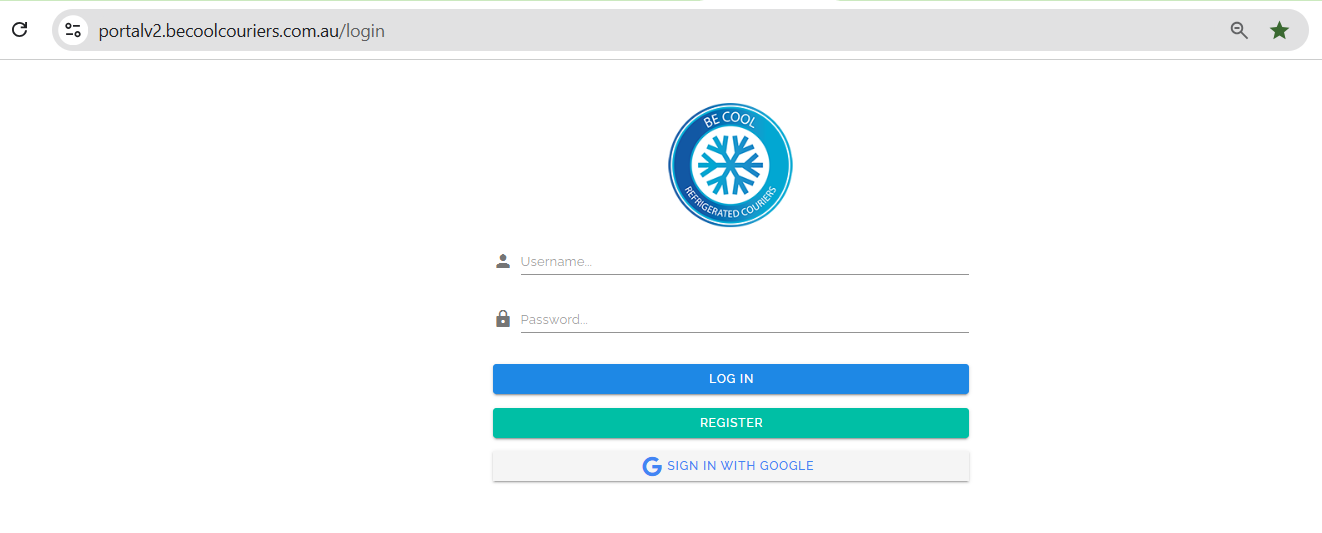
1. Log in to the Be Cool Portal with your credentials.
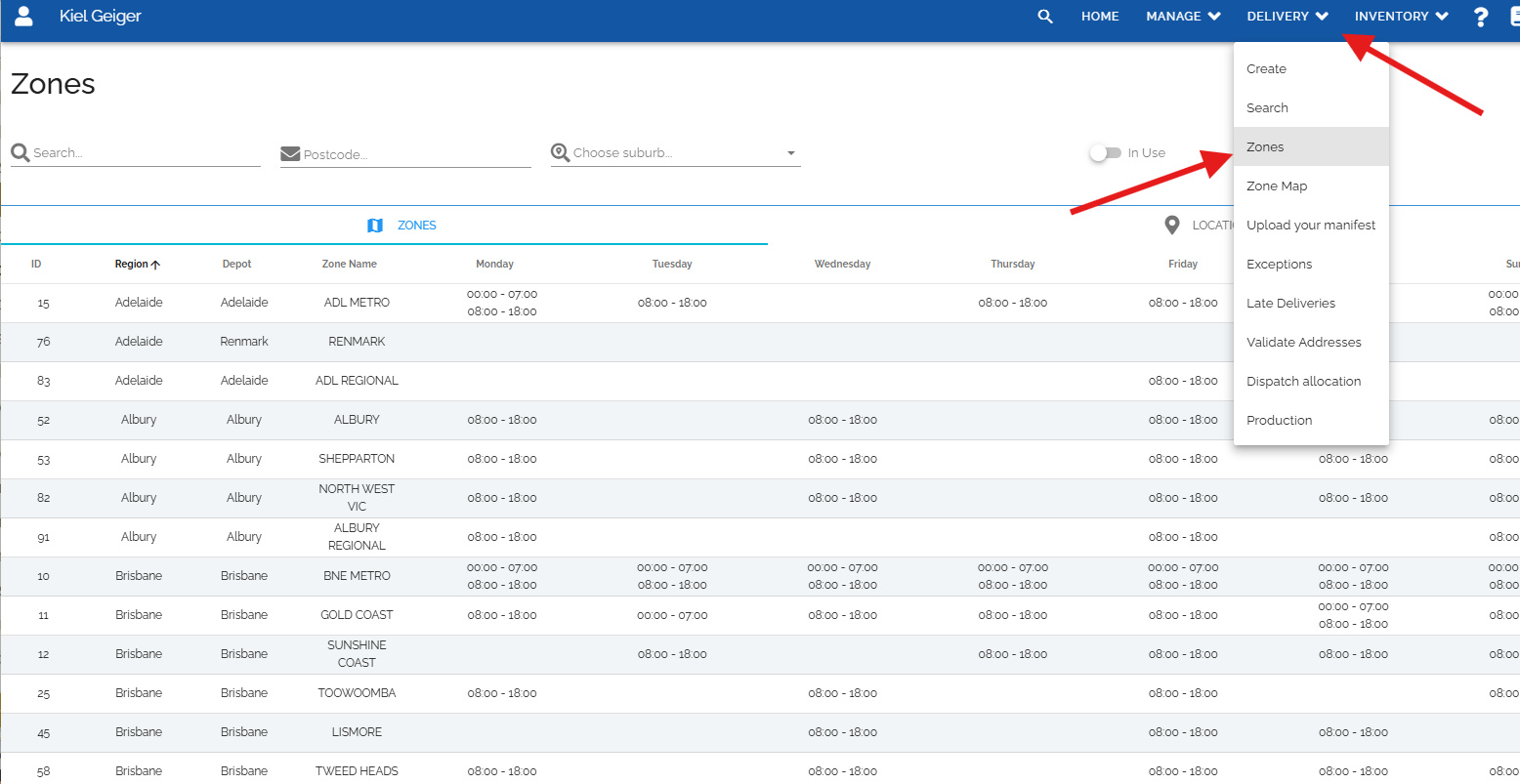
2. On the upper right-hand side of the page, click on the 'Delivery' dropdown, and then 'Zones'.
3. On the suburb field, please enter the suburb where the customer's address is located.
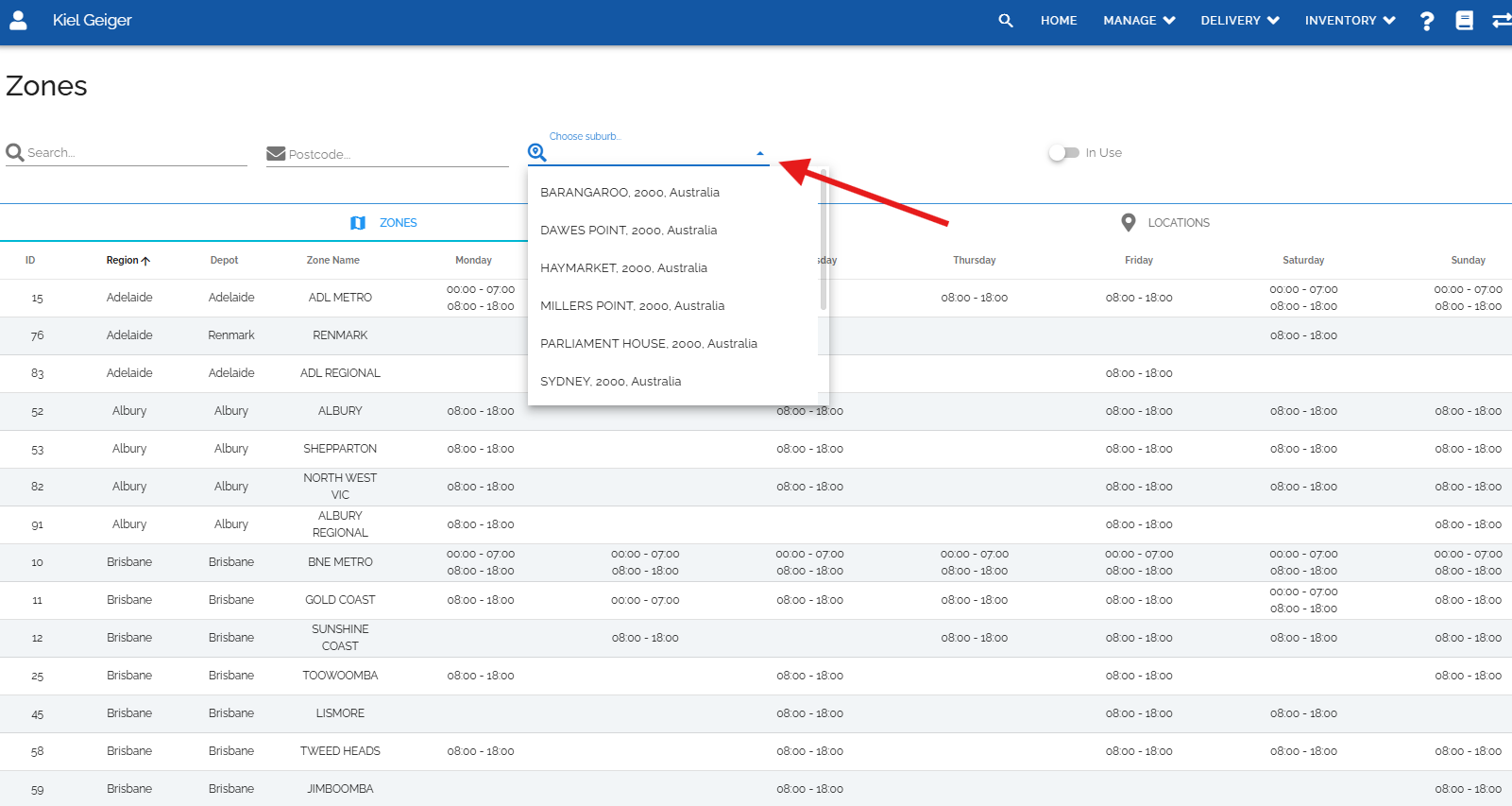
Note: Please note that not all suburbs under a postcode is serviced so it is recommended to search using the suburb instead of the postcode.
Was this article helpful?
That’s Great!
Thank you for your feedback
Sorry! We couldn't be helpful
Thank you for your feedback
Feedback sent
We appreciate your effort and will try to fix the article